
Your forms, your words, your limits.
Your administrator changes forms in a browser. A new check, a new limit: no developer, no software project.
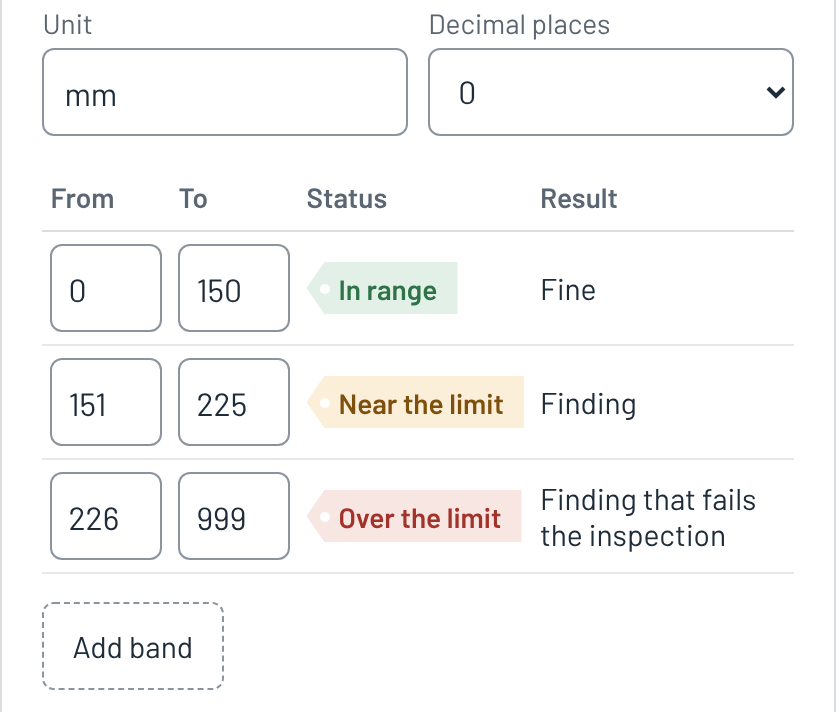
Ask for a walk-through on your own formsBuild the form: questions, answer options, limits and photo rules.
Try a new form on a phone before it is published.
Publish it and it reaches every phone that has the form in scope.
It works with no signal.
A record that proves itself.


- 1Build
- 2Try
- 3Publish
- 4Capture
- 5Prove
Build
Build the form: questions, answer options, limits and photo rules.
Copy one site's setup to start the next.
One platform for inspections and equipment maintenance.
- 1Build
- 2Try
- 3Publish
- 4Capture
- 5Prove
Try
Try a new form on a phone before it is published.
Nothing captured in testing becomes a record.
- 1Build
- 2Try
- 3Publish
- 4Capture
- 5Prove
Publish
Publish it and it reaches every phone that has the form in scope.
Old versions are kept, so old records still read right.

- 1Build
- 2Try
- 3Publish
- 4Capture
- 5Prove
Capture
Captured on a phone at the place or the machine, with or without signal.


Designed for gloves: large answers and buttons.
A tag on the wall or on the machine opens the right form for that place.
Where the form asks for it, a failed answer needs a note and a photo before the inspection can be submitted.
The Underground colour scheme, set per site: a dark screen for work by cap lamp.
It works with no signal.
Every answer is saved on the phone as it is given and sends by itself back on surface. Nothing waits for coverage.
- 1Build
- 2Try
- 3Publish
- 4Capture
- 5Prove
Prove
A record you can stand behind: who, where, when, readings, findings, photos and signatures, locked once completed.


A record that proves itself.
A correction never overwrites: it is added as an amendment with who, what and when.
A finding becomes an action with an owner and a due date, closed with evidence and escalated when late.
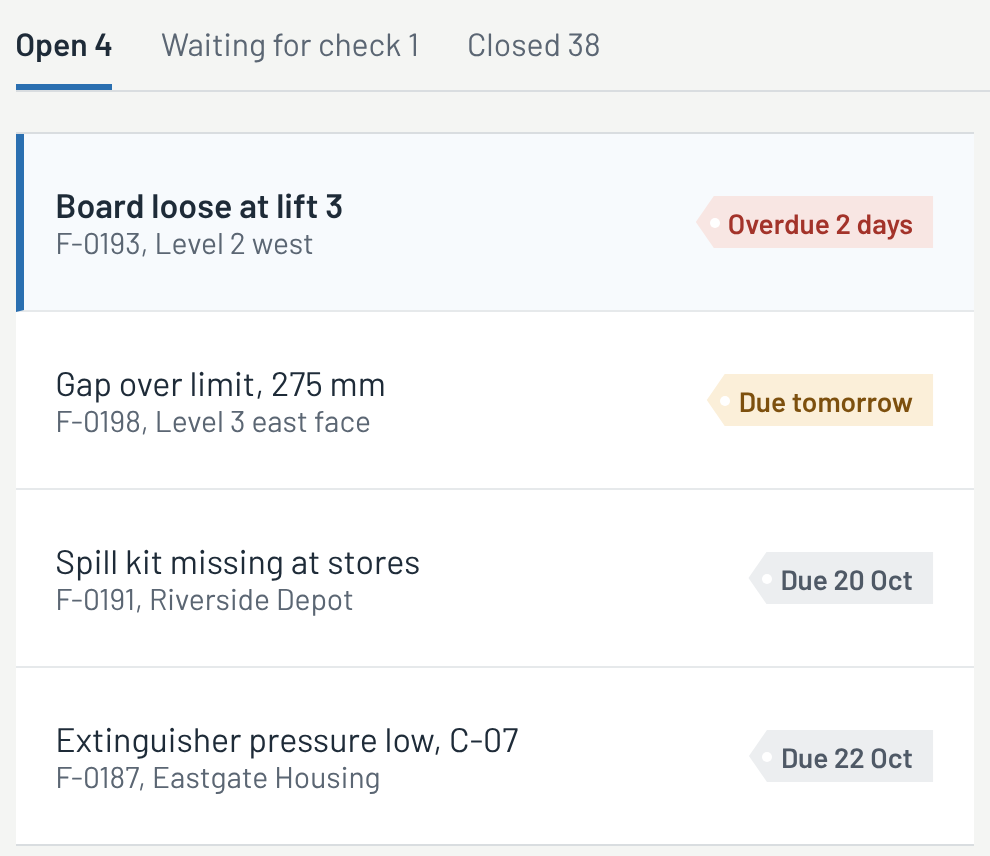
A web dashboard with status by site and what is overdue.

Schedules that create the task and show what is overdue.
Records feed Power BI.
The inspections you already pay for, made provable.
See it on your own forms and your own site.
Tell us who you are and which forms you would like to see.